Showing posts with label garden. Show all posts

Tuesday, October 22, 2019

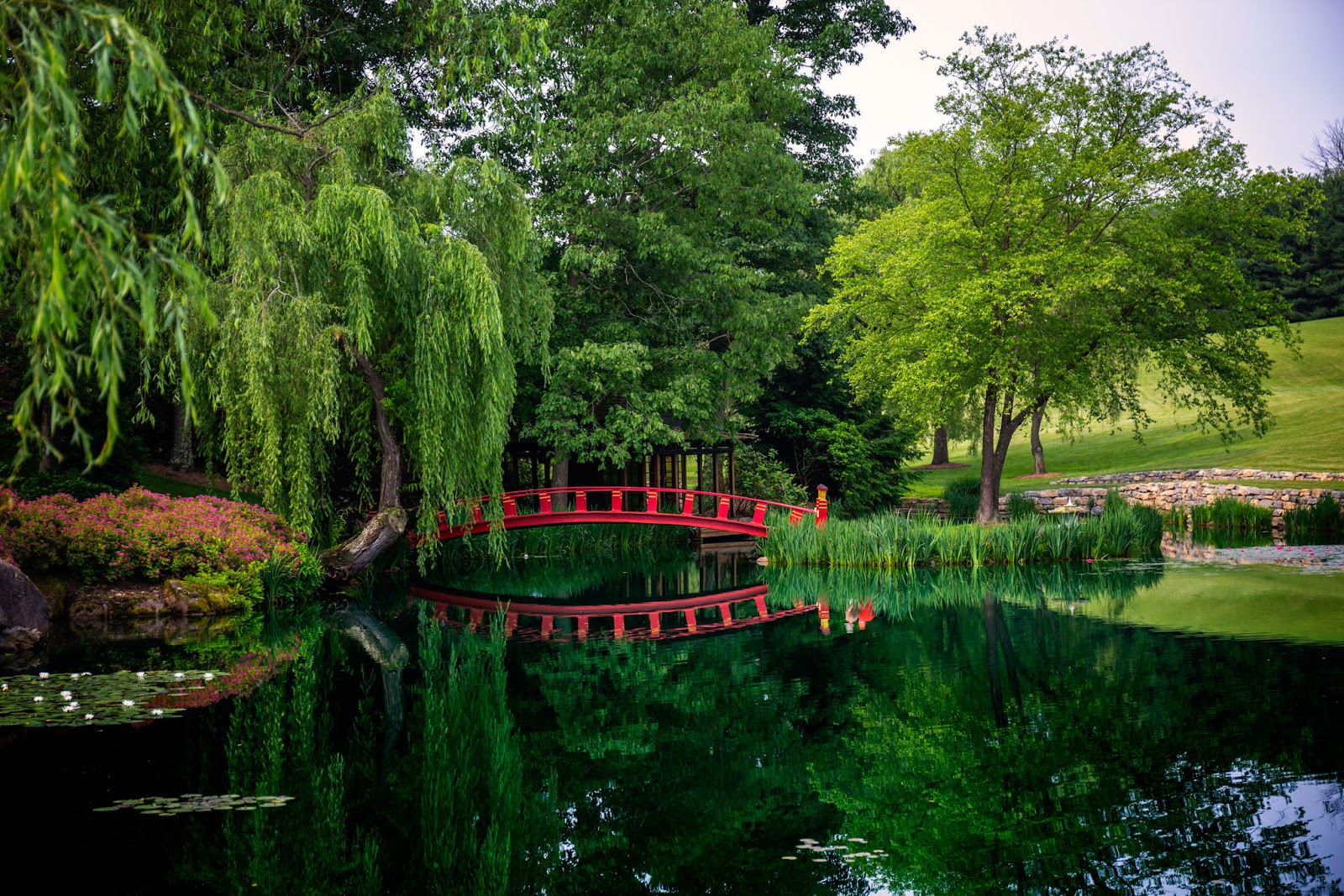
Before and After: Schnormeier Gardens, June 2019

A look back to this past summer visit to Schnormeier Gardens outside Gambier, Ohio. Editing done in Affinity Photo.

#beforeandafter #schnormeiergardens #landscapephotography
After editing.

Before editing.

Monday, July 8, 2019

SmugMug website updated!

Just a simple notice that I updated the cover on my SmugMug site with a picture I took in June at Schnormeier Gardens. I have been thinking of looking at changing to a different format.

You can find my SmugMug site here:
https://jfphoto65.smugmug.com/

#smugmug #photosharing

Wednesday, July 3, 2019

Before and After: Schnormeier Gardens | June 27, 2019

Following up with a before and after from last week's visit to Schnormeier Gardens outside Gambier, Ohio. This is shot of the popular red bridge at the asian theme gardens edited with ON1 Photo Raw 2019.

Editing:
After minor adjustments in the raw Develop panel, I moved to the Effects panel and started making the colors pop out using the Color Adjustment filter. Next, I applied a Blues LUTs that make it stand out more especially the greens. Then a tobacco color Photo Filter was added and a Curves filter then was used to brighten the midtones. A tilt shift Lens Blur was applied and finished out with an vignette.

#beforeandafter #photoediting #schnormeiergardens #landscapephotography
After editing in ON1 Photo Raw 2019.

Before editing in ON1 Photo Raw 2019.

Wednesday, June 19, 2019

Before and After: Summer Garden 2018

I have not been out taking photos like I want with all the rain and work has got me run down. Too much work, not enough people. So, I am posting a shot from last year that was taken at The Brown Family Environmental Center outside of Gambier, Ohio. Like all my editing of lately, the editing was done in ON1 Photo Raw.

#beforeandafter #bfec #garden #landscapephotography
After editing in ON1 Photo Raw.

Before editing in ON1 Photo Raw.

Wednesday, June 12, 2019

Before and After: Bee Flower Garden

Shot from The Brown Family Environmental Center near Gambier, Ohio. Editing done in ON1 Photo Raw 2019.

#beforeandafter #bfec
After editing in ON1 Photo Raw.


Before editing in ON1 Photo Raw.

Tuesday, May 21, 2019

Before and After: Bees of Black & White

I find I am enjoying using ON1 Photo Raw for creating black and white images. The textures, borders, lens blur, etc. allows me to be creative in the process. Here is an example from a shot I took at the Brown Family Environmental Center near Gambier, Ohio.

Editing
I started with a Tone Enhancer filter to add some contrast to the photo followed by a Black & White filter. To add more more detail contrast, I added aDynamic Contrast filter and added some film grain with the Film Grain filter. Then I added a film texture I found somewhere online. A Split Tone filter was used to add a very small amount of color to the photo. Another Tone Enhancer was applied but only to the background to darken it up so the bees and flower in the foreground stand out more. A Lens Blur then was added to blur the background. Photo was finished off with simple white border.

#beforeandafter #photoediting #blackandwhite #bfec
After editing in ON1 Photo Raw.


Before editing in ON1 Photo Raw.

Tuesday, April 30, 2019

Before and After: Meet My Little Friend!

One of nature's friends can be found at The Brown Family Environmental Center are frogs. Just enjoying the summer sun in the garden's small pond. I was lucky that he posed for the camera.

Editing
Using ON1 Photo Raw 2019, I started with a simple HDR Look filter followed by a Black & White filter. I added a little Dynamic Contrast before applying a Tone Enhancer filter. To give the photo some depth, I added a Lens Blue with a tilt shift setting and through in some vignetting. Then finished it off with a black letterbox border.

#beforeandafter #photoediting #bfec #on1photoraw
After editing in ON1 Photo Raw.

Before editing in ON1 Photo Raw.

Monday, April 22, 2019

Before and After: Bee kissing the Flower

At times that I visit The Brown Family Environmental Center, I try to capture bees and butterflies with my Canon 5D Mark III and using my Canon EF 70-300mm 1.4-5.6 IS zoom lens. I am not good at it but sometimes I am lucky to get a good shot like this one.

Editing
Starting with a LUTs filter in ON1 Photo Raw 2019, I used the Thoreau LUT followed by a Color Enhancer filter to make the colors vibrant and warm. Next I applied a Sharpening filter to apply a little sharpening and a Tone Enhancer to bring in the highlights and darken the shadows a little. A texture that I downloaded from ON1 called 2LO Color Burn1-hardlight, part of a Color Burn Overlays collection, was added to the photo. A vignette came next and finish off with a Emulsion border.

#beforeandafter #photoediting #bfec #nature #garden
After editing in ON1 Photo Raw 2019.

Before editing in ON1 Photo Raw 2019.

Tuesday, March 12, 2019

Spring Is Getting Near!

I thought I share a photo I took in June of 2018 at the Schnormeier Gardens outside Gambier, Ohio. The gardens are open to the public one weekend a year in the month of June. I really can't wait for summer to arrive! Editing was done in ON1 Photo Raw 2018.

#photoediting #schnormeiergardens #flower #garden

Wednesday, February 13, 2019

Before and After: Garden Lilly

A picture from The Brown Family Environmental Center outside Gambier, Ohio. The little pond in the garden features lillies, gold fish, and toads. Editing was done with ON1 Photo Raw 2018.

#beforeandafter #photoediting #garden #bfec
After editing in ON1 Photo Raw 2018.

Before editing in ON1 Photo Raw 2018.

Wednesday, February 6, 2019

Before and After: Bridge of No People

Going back to Schnormeier Gardens, the gardens are opened to the public in June once a year. Because of this and the fact the gardens are popular, a lot of people tend to come and one just seems to be unable to take a photo without people in the shot. In comes Adobe Photoshop and any other photo edited that let's you remove people from your pictures.

Editing:
Starting in Adobe Lightroom CC, I did some minor adjustments starting with bringing down the Highlights and opening the Shadows. Also, I increased the Clarity and the Vibrance. Moving onto Photoshop, I first removed the people from the picture using Content-Aware and the Clone Tool. Next, I added a Curves adjustment layer to add a vignette. Then a Photo Filter adjustment layer set to Warming Filter (85) to give the photo some warmth. And finally, I added a Levels adjustment layer with a gradient to darken the lake.

#beforeandafter #photoediting #adobephotoshop #schnormeiergardens
After editing.

Before editing.

Monday, February 4, 2019

Before and After: Red Flower and Butterfly

One of the great things about visiting The Brown Family Environmental Center is seeing the busy bees and the butterflies flying from one flower to the next. I am still working on shooting bees and butterflies and I do at times get lucky at getting a good shoot like this one.

Editing:
The editing was done using ON1 Photo Raw. I started with a LUTs called Elton followed by a Color Enhancer in which I boosted the reds and oranges with saturation. I boosted them even more with a Color Adjustment and added a slight S-curve with the Curves filter. Then added a Big Softy Vignette with a Light Leak 5 Texture. I applied a Tilt Shift Lens Blur and set at an angle. Finally finished it off with simple Letter Box Black border.

#beforeandafter #photoediting #bfec #on1photoraw

After editing in ON1 Photo Raw.

Before editing in ON1 Photo Raw.

Monday, January 21, 2019

Before and After: 41 Days until Spring!

Okay, I am done with winter! Until spring gets here, I just keep thinking warm thoughts. Here is a before and after from The Brown Family Environmental Center garden to help with those warm thoughts.

#beforeandafter #photoediting #bfec #garden
After editing.

Before editing.