Wednesday, July 8, 2020

Before and After: Back to Basics

This year I have found that I kinda lost my interest in photography. Between losing my job, but not losing my job. Told I was being laid off then being kept on...for now, and not knowing if this will be my last day on the job. Then this whole pandemic thing. This year has been a downer for sure.

So I have not taken out my Canon 5D this year but I did take a few photos over the July 4th weekend with my old iPhone 6s Plus. Yup, still rocking the old 6s Plus! So I figure I share one photo I took on the local bike trail. And for editing, I went back to basics by not using Adobe Lightroom which I stopped using over a year ago, and chose not to use ON1 Photo Raw. This time I did it the old fashion way, I edited a JPG with Affinity Photo.

#beforeandafter #photoediting #affinityphoto
After editing in Affinity Photo.
Original photo before editing.

Sunday, July 5, 2020

Update: July 5, 2020

YES, I am still alive! Sorry that I have not posted in months, it has been a crazy year. Started the year with news of being laid off...they still have not laid me off...for now. I guess that is one good thing. Then this whole pandemic thing, but we stayed open as we are a print shop and printing is considered important to the economy. So while others were laid off, I was still working.

But let's talk about my photography. Hate to say it but I really just have not gotten back into it for various reasons. I mainly been concentrating on graphic design, etc. in prepping for a new job if I get laid off. This is why I been spending time over on Linkedin and watching YouTube videos to update some of my skills. Also, I been trying to be an advocate for Affinity applications like Affinity Photo, Affinity Publisher, and Affinity Designer. So, I kinda been out of the love for photography and just not getting out.

But I did get out on July 4th this year. Hit the local bike trail and took a few photos with my old iPhone 6s Plus and then did a little editing in Affinity Photo. You can a screenshot of me editing in Affinity Photo. I highly recommend it if you are looking for a replacement for Adobe Photoshop and tired of paying the subscription fee. There is a small learning curve but after 30 years working in Photoshop, if I can learn to use Affinity Photo, you can too.

I hope not to be this long to posting next time on the blog. Again, sorry for not posting.

You can find me on Linkedin:
https://www.linkedin.com/in/joefrazeeohio

#affinityphoto #photoediting

Editing photo using Affinity Photo.

Friday, February 14, 2020

Free Photo Stock for your designs!!!

You might have noticed that I have not been posting here on my blog lately. Started the year off finding out that I am being laid off from the print shop I have been working for the last 35 years. Happy New Year and you are being laid off!!! The shop has merged with a larger printing company and everyone is being let go except the sales people. BUT, I am still as of this day working there as they have been of need of my skills. Eventually they will lay me off but they would like to hire me here and there for freelance work and I should be getting three months severance pay. Hurray!

So, I have been busy over on Linkedin writing articles and posting graphic design samples to show off some of my graphic design skills. I have been using Affinity Publisher which is a Adobe InDesign alternative, I highly recommend it. And I been using Affinity Photo and Affinity Designer, Adobe Photoshop and Adobe Illustrator alternatives. In my design samples, I have been using photos from a few great FREE stock sites I like to recommend.

First is Unsplash, I love this stock site. Browse to find a photo you want to use, double click the photo to open it up and click the free download button in the upper right corner. Also, I recommend checking out Pexels and Pixabay, both also are great free stock sites that you might find the images you need for your design projects. And you do not need to create an account to download the images.

Below are a couple of publications in which I use images I found on this sites and I posted to my Linkedin page.

#photostock #graphicdesign #affinitypublisher


Friday, January 10, 2020

Before and After: 1961 Triumph

Sorry that I have not been posting much recently, my life been turned upside down. Started the new year off with finding out that the print shop I been working 35 years for is merging and I will be out of a job soon. Sigh.

So anyway, back to posting a new before and after with a shoot of this classic from a car show a few years back.

Editing:
Using ON1 Photo Raw, I did a few basic raw editing in the Develop panel before moving on to the Effects panel. There I started with a Black and White adjustment using the Infrared preset. Next, I applied a LUTs using the Aachen color grading to give it that vintage effect and added a Sunshine adjustment to brighten up the results. Added Noise Reduction and then a tobacco Photo Filter adjustment. An Antique effect was added to give it more vintage look and applied a little bit of a earth texture with the Texture adjustment. To give it a light leak, a second texture called Light Leak 6 was applied before finally finish it off with a movie camera border.

#beforeandafter #on1photoraw
FINAL

ORIGINAL

Monday, December 30, 2019

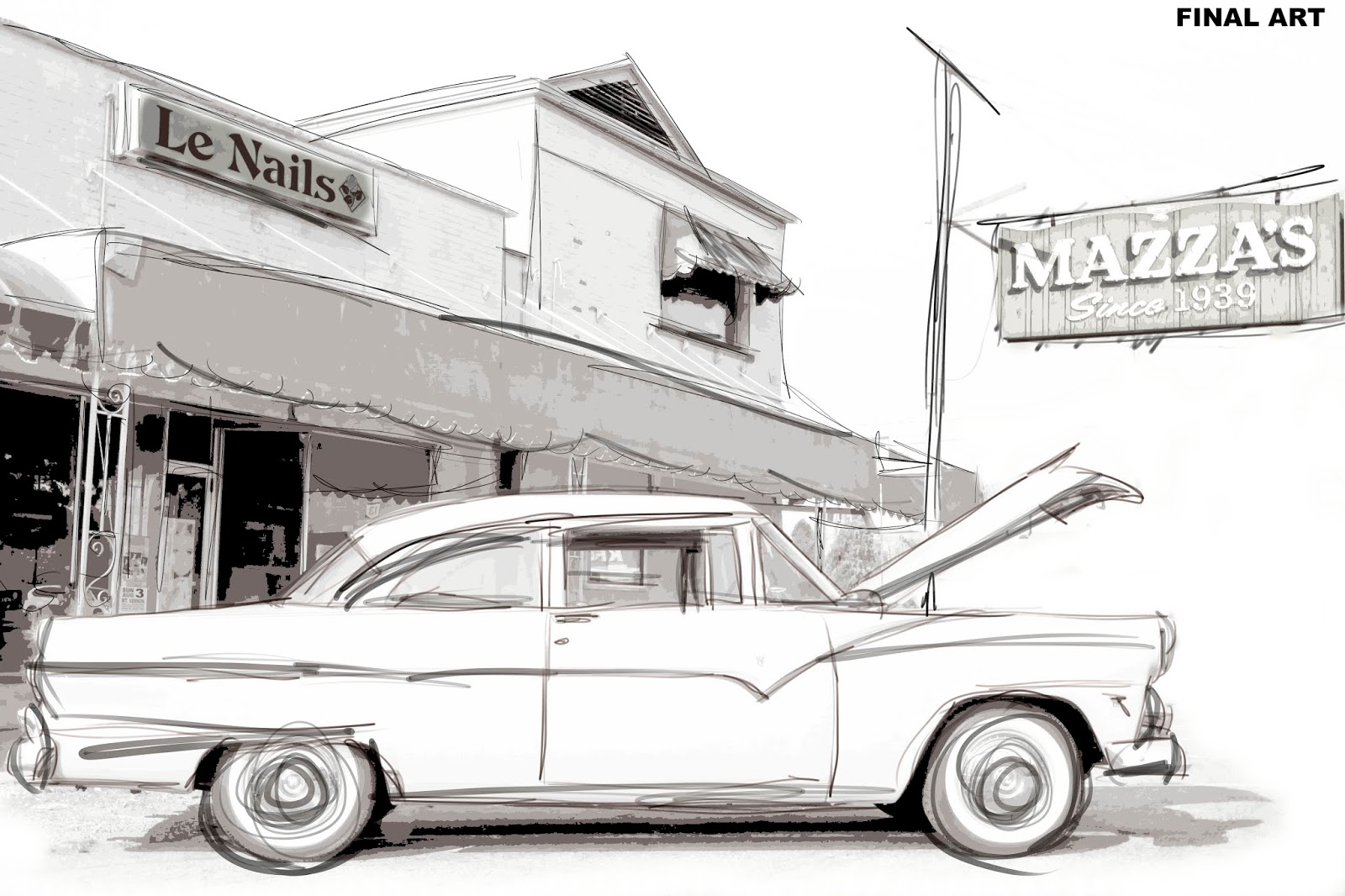
Photo to Art: Mazza's

Last post for the year! Started this blog earlier in the year before Google shut down Google+. I decided I really did not want to move onto another social media platform and I definitely did not want to be on Facebook even though I have an account because of family.

But I wanted somewhere where I can show my photography and my creativity, as well as photo editing. I like playing around with editing; black and white, Instagram-like effects, painting, etc. I get bored if I keep doing the same thing over and over.

So I hope everyone has a Happy New Year and hope next year will be better. And I leave you with my latest creation that I did with a combination of Corel Painter and Affinity Photo.

#photoart #art #corelpainter #affinityphoto
FINAL ART (done in Affinity Photo)
SKETCH (done in Corel Painter)

ORIGINAL PHOTO

Monday, December 16, 2019

Painting for the Holidays Pt.2

One more for this year's holidays. Found this photo on Pixabay and thought it would be nice art piece. I took the photo into Corel Painter and created the painting there before taking it into Affinity Photo to create the final piece by adding a old paper texture and the text.

#holidays #corelpainter #affinityphoto #Pixabay #photoart

FINAL ARTWORK
Original photo from Pixabay

Monday, December 9, 2019

Painting the Holidays 2019

Sorry that I have not been posting on the blog much. This time of year is busy at the print shop with all the holiday programs, cards and so on. Plus, on top of that, I have been under the weather. Winter and cold weather is not my favorite time of the year.

So, something different again! Since I have not been out taking any holiday photos, I decided to do something outside my comfort zone. This time I took a photo from the free stock website Pixabay and use Corel Painter to convert the photo into a painting. I started in Affinity Photo with a new document and then went under View > Studio > Stock. There you can access free stock sites like Pixabay, Unsplash and Pexels. Think of it as Adobe Stock without the need for an Adobe account or having to pay for the images as these sites are free stock sites. Once I found a photo and dropped it into Affinity Photo, I then simply saved the photo and then opened it into Corel Painter. In Painter, I played around with multiply brushes and even though Painter has an Auto-paint feature, this time I did it all myself. As for the text, after exporting a jpg file out of Painter, I placed it into Affinity Photo and added the text there.

So there you go! And Happy Holidays to everyone!

#corelpainter #affinityphoto #Pixabay #happyholidays
Final painting from Corel Painter

Original photo from Pixabay